Number format option: thousands separators + hide cents (keep full accuracy)
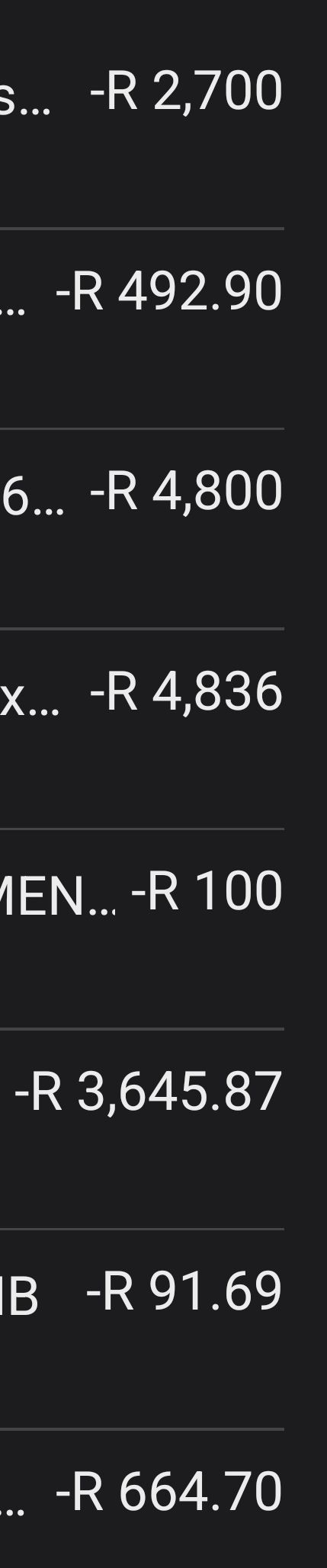
Transaction lists are hard to scan because amounts mix whole Rands and cents with no thousands separator.
Example: -R 4,800 and -R 91.69 look similar at a glance, so the large spend doesn’t stand out.
Please add a display setting (Excel-style “comma format or Accounting”):
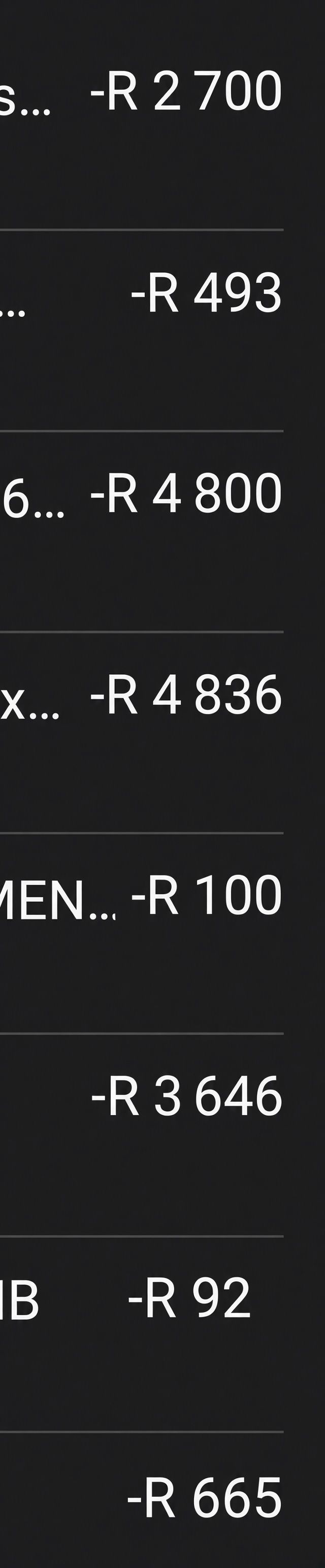
Show currency, then a space, then grouped thousands
e.g. R 4 800 or R 4,800.
Hide decimals in lists, dashboards and budgets
Keep full cent precision internally so totals stay exact.
Optional if above not possible: “always show 2 decimals” so every amount lines up in a column.
This makes it much easier to spot large vs small numbers without losing accuracy.
Before:
After:
Thanks in advance!
Log in to comment and vote
No comments yet
Be the first to share your thoughts.