June 26th, 2026
New
Mobile

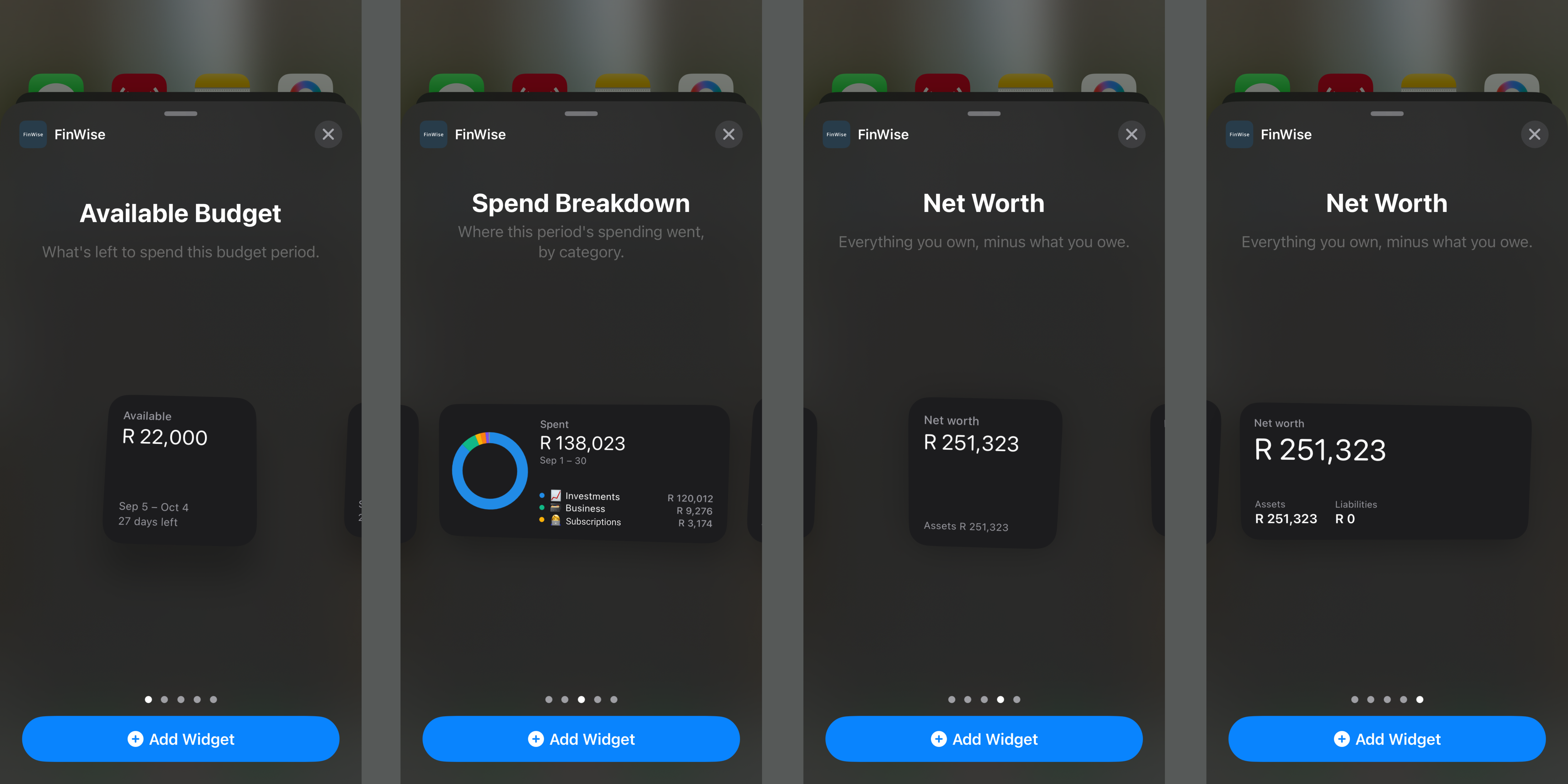
We've redesigned our mobile dashboard with beautiful new charts and widgets to help you better understand your spending, income, net worth, cash flow, savings and more.
June 9th, 2026
New
Settings
Mobile
Web

We have added the ability to log into your FinWise account with Google and Apple. You can connect your Apple / Google account from Settings in the app.
June 1st, 2026
Improved
Transactions
Web

If there is an error in your CSV you can now identify and modify it inline
Choose to skip certain lines with the multi-select option
Choose which account group and currency to set for new accounts created on import
Better visibility into tracks your import’s progress
June 1st, 2026
Improved
Accounts
Integrations
Mobile
Web

You can now see when your data was last synced on FinWise, as well as when our data providers last pulled data from your bank.
June 1st, 2026
Improved
Accounts
Integrations
Mobile
Web

When you sync your accounts, you will now see the progress of each account sync, giving you better visibility into when your data is updated.
June 1st, 2026
Improved
Settings
Mobile
Web

We’ve improved our pages so that if you have a custom start date set for your budget, all pages in FinWise will filter data according to this period.
June 1st, 2026
New
Accounts
Mobile
Web

Add custom groups
Rename existing groups
Drag and drop your accounts between groups
Reorder groups and accounts by name, balance or % of your portfolio
May 25th, 2026
Improved
Transactions
Web

We’ve improved the Fix Duplicate feature to include:
Better search to catch duplicates with similar descriptions or merchants (eg. Dog food and Dogfood)
Filters for account, date range and data connections
Better detection of duplicates that get removed when syncing accounts
Ability to expand and collapse all duplicate rows
Cross account scanning for duplicates (helps identify transactions that were incorrectly imported into the wrong account)
May 19th, 2026
Improved
Analyze
Accounts
Transactions
Settings
Mobile

Our iOS and Android apps now have:
Updated charts on Overview screen (more coming on this next week)
Budget total summaries on Income and Expenses sections on Budget screen
Ability to view and restore archived transactions
Toggle between all and unreviewed transactions
Filters, multi-select and bulk actions on transactions
Running total of selected transactions
Scroll-to-top button on transactions list
Ability to edit data connections in Settings
New views on Analyze screen
Intercom (you can chat with support in app)
Links to our Changelog, Roadmap, Feedback submission and Discord channel
May 17th, 2026
Improved
Transactions
Mobile
Web

We’ve added the ability to “Select all” or “Unselect all” on various fields when filtering Transactions.
This means you can also now do negative filtering - eg. Select all categories except one.